Overview
In Android, your phone keeps track of two important things to help you use it more easily: the files you save and the searches you recently made. File storage is where your apps and media (like photos, downloads, or documents) are kept so you can open or share them later. Recent search storage, on the other hand, remembers the keywords or phrases you typed into search bars like in Google, YouTube, or Settings to help you find things faster next time. This way, your phone feels more personal and responsive, like it remembers what’s important to you. Android manages this data smartly and stores it either in memory, databases, or shared preferences to make sure it’s ready when you need it without slowing down your phone.
Trie Data Structure
- A Trie is a special tree-like data structure used to store words, especially useful for searching words quickly.
- In simple terms, each letter of a word is stored as a step in the path of the tree. So, words that start the same way share the same starting path.
- It is commonly used in features like autocomplete or spell-check in phones and apps, where the system quickly finds matching words from a list.
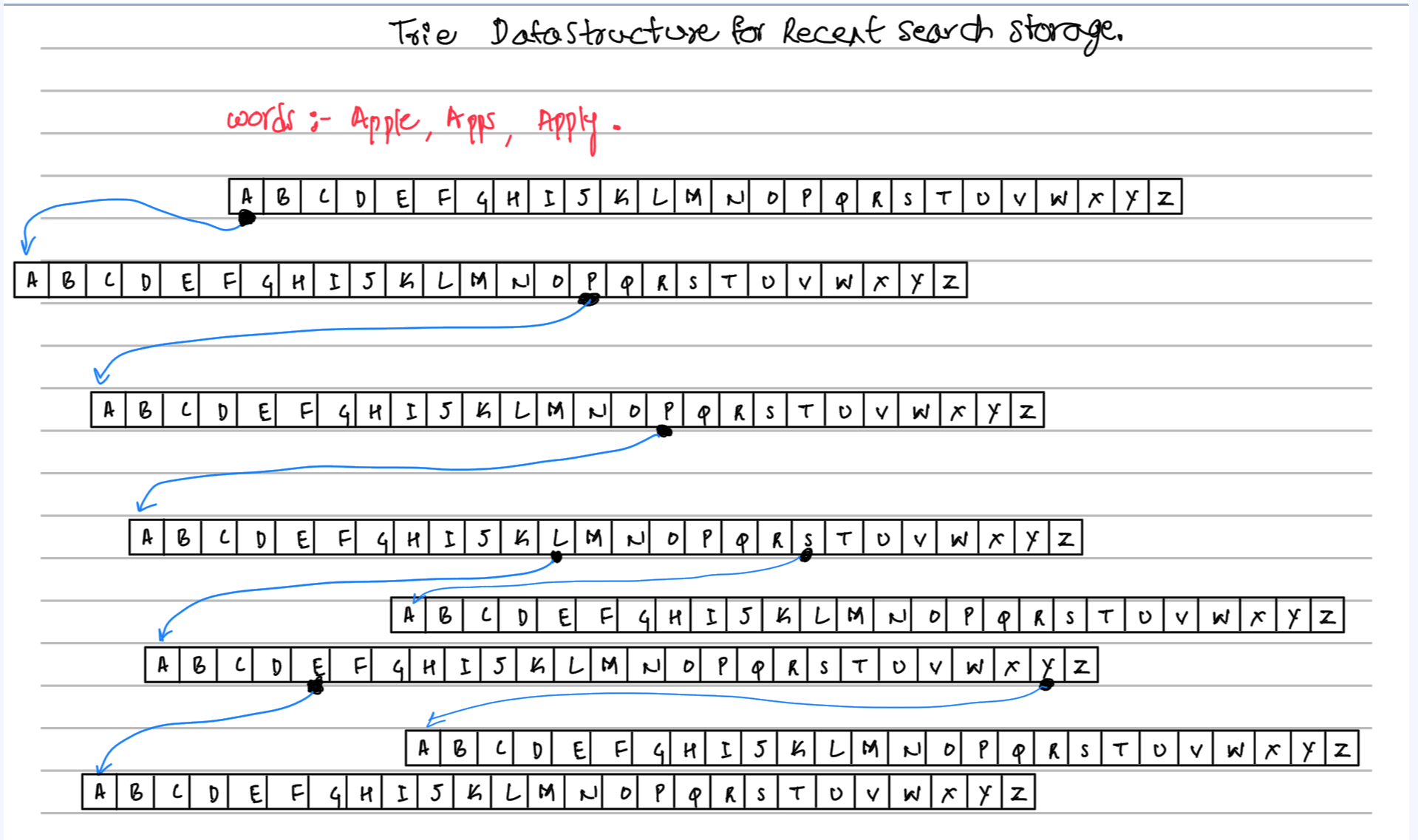
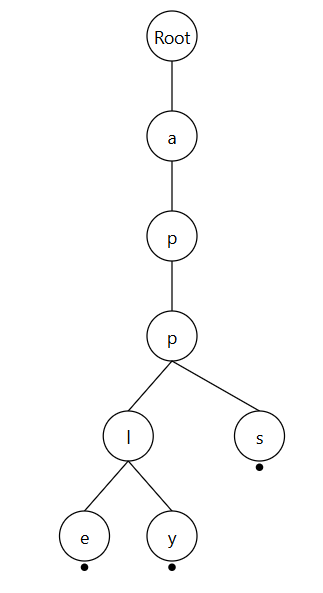
In these images the first is the real view of how the tries is implimented and the second images shows the logical view of the Tries which is easier to understand.
Play to Learn
Credits: AI Gallery by Selfboot
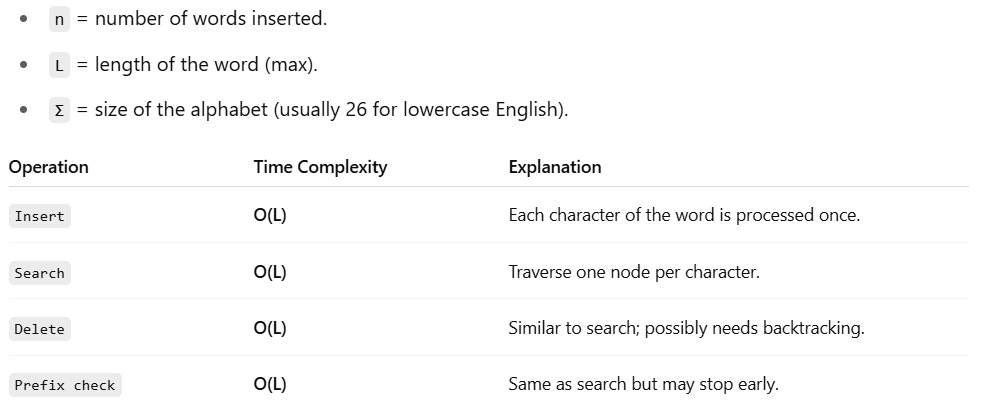
B Trees
Credits: Spanning Tree YouTube
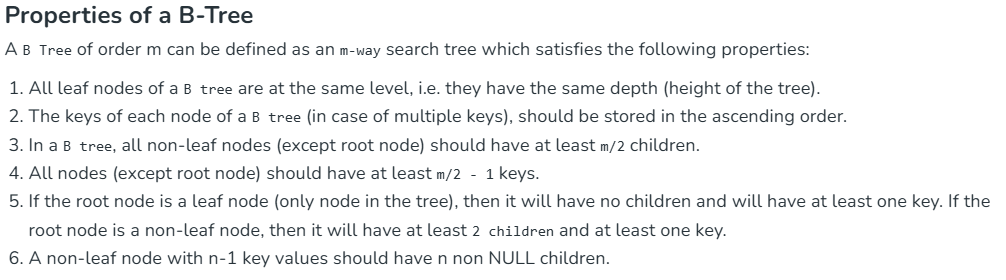
B-Tree Time & Space Complexity
| Operation | Time Complexity | Space Complexity |
|---|---|---|
| Search | O(logm n) | O(n) |
| Insertion | O(logm n) | O(n) |
| Deletion | O(logm n) | O(n) |
References:
- https://medium.com/@udarachinthaka135/jump-search-algorithm-488c0f6e293d
- https://medium.com/@arartawil_96289/searching-algorithm-jump-search-9b1d9c3f4955
- https://www.geeksforgeeks.org/b-tree-in-java/